iOS

Budget & expense tracker for iPhone & iPad

Your month's money,
at a glance.

Fundi tells you what you can still spend today — from your category budgets, fixed costs and savings goals. Logging an expense takes three seconds.

Free to start · No ads · No tracking

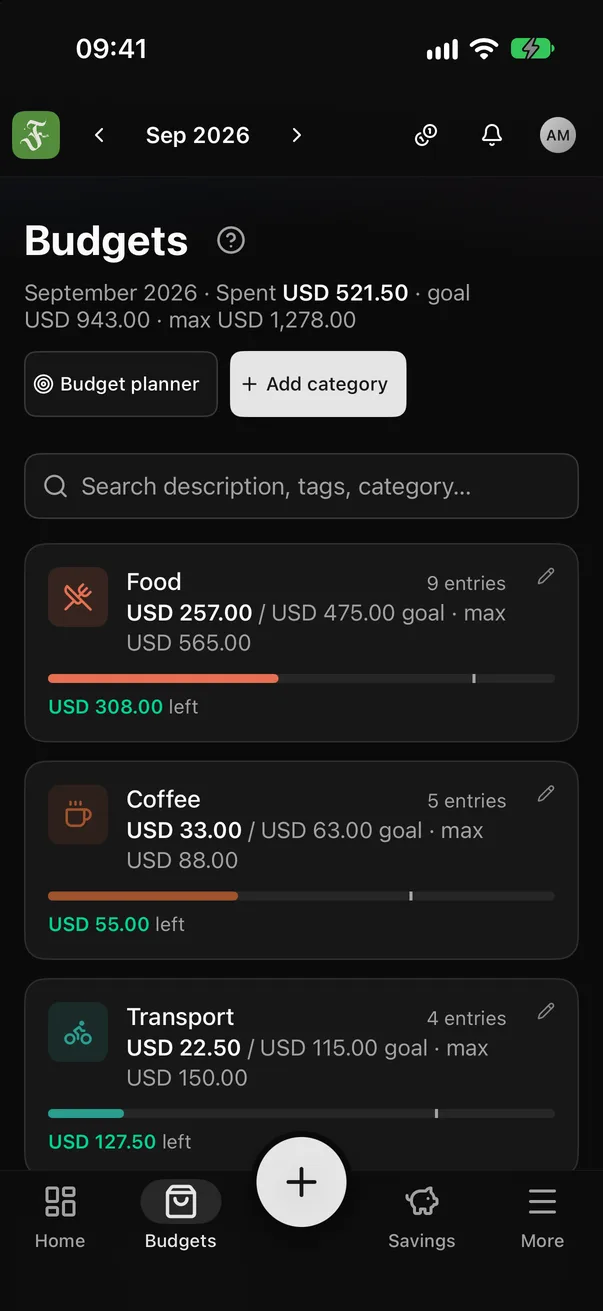
Fundi: budgets for each spending category, dark theme
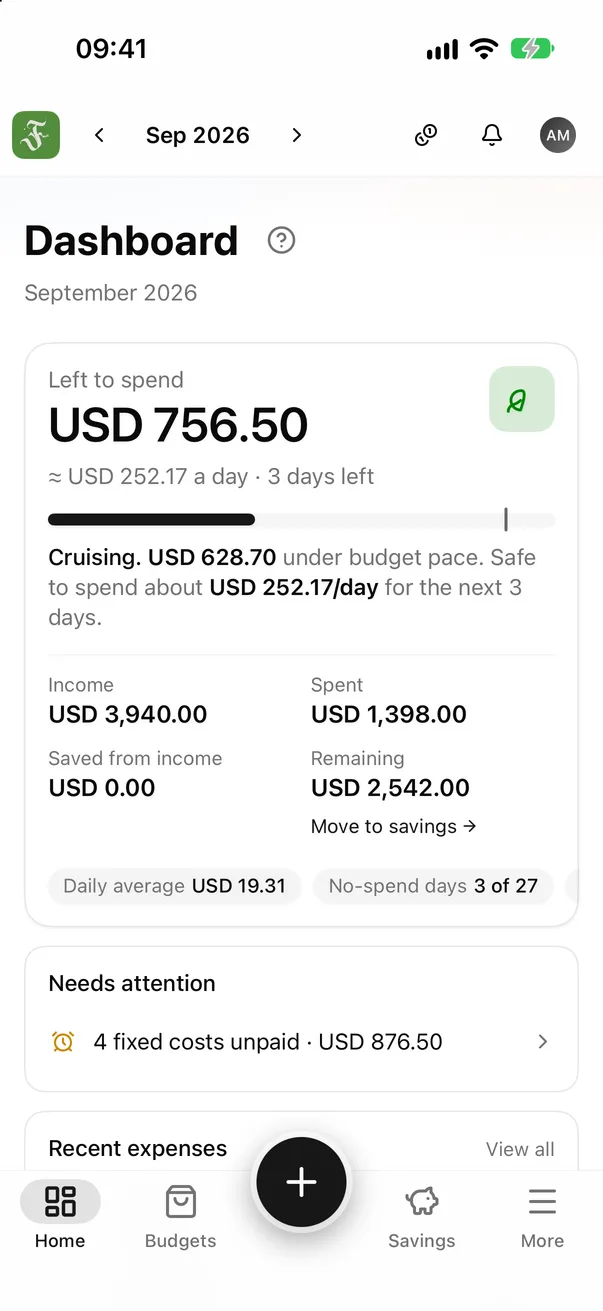
Fundi on iPhone: the Overview screen shows what's left to spend this month
USD 8.00 → Food
USD 111.02/day left
Japan trip · 65%

3 seconds

to log an expense

32

themes, floral ones too

24

currencies

20

languages

A month with Fundi

From “where did it go?” to “I know.”

Five short chapters about a month of money — and where Fundi comes in.

  1. The problem

    Money doesn't leave all at once. It slips away.

    A coffee, a delivery fee, a subscription you forgot to cancel. None of it feels like much — until the end of the month, when you check your balance and wonder where it all went.

  2. The turn

    Then there's just one number to watch.

    Fundi turns your budgets, fixed costs and savings goals into one answer: what you can still spend today. Log an expense and the number works itself out again.

  3. How it feels

    Still spending. But now you feel it.

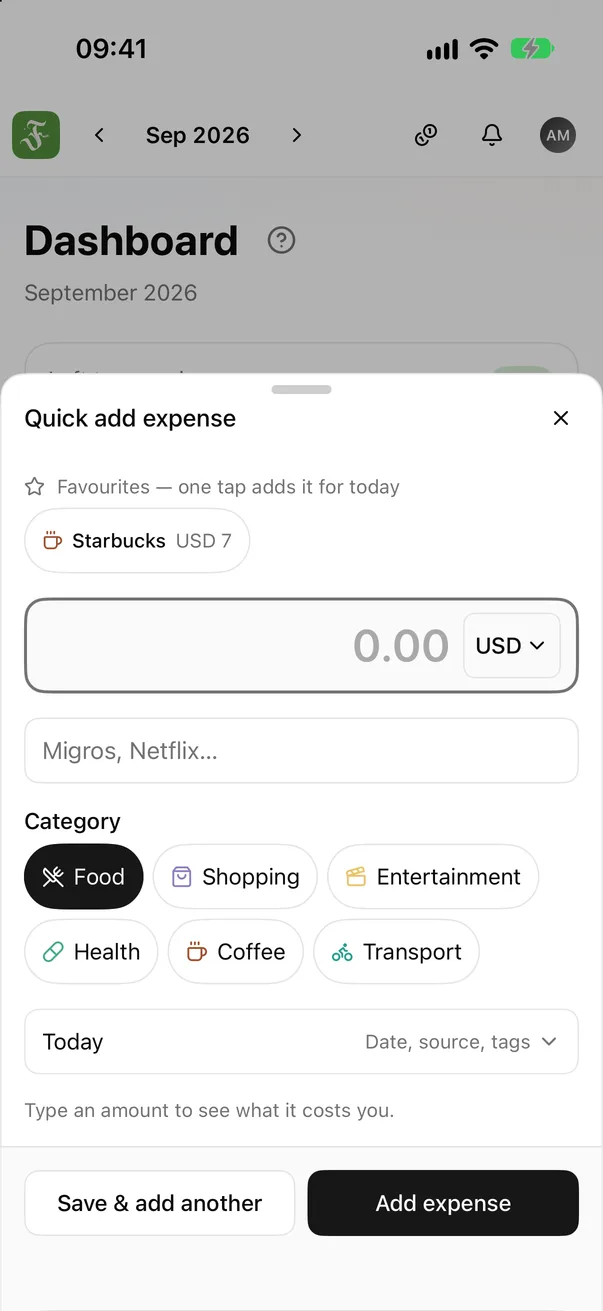
    Logging takes three seconds — type it or say it. Before you save, Fundi shows what this expense leaves you: a small pause, just enough to think twice. Budget bars change colour as they fill.

  4. Together

    Shared costs, and nobody keeps the tab.

    Trips, flatmates, family: log who paid, split equally or by shares. Fundi works out who owes whom in the fewest transfers. Creating a group needs Diamond; joining one is free.

  5. Calm

    And finally, some peace of mind.

    Money for a goal is set aside right inside one of your assets, and your emergency fund shows how long you'd last if income stopped. Fundi connects to no bank, shows no ads and doesn't track you.

Start with your next expense.

Basic is free forever, no card needed.

Feature by feature

See what Fundi does, screen by screen.

Real screenshots from the iPhone app.

Tap a feature to see its real screen in the app.

  • Tap the big +, type the amount, pick a category — done. Or tap the mic and just say it, like “12.50 lunch” — or say “Fundi listen”. Switch to “Money in” to record income.

    • Big + button
    • Say it out loud
    • ♡ Favourites
    Quick add
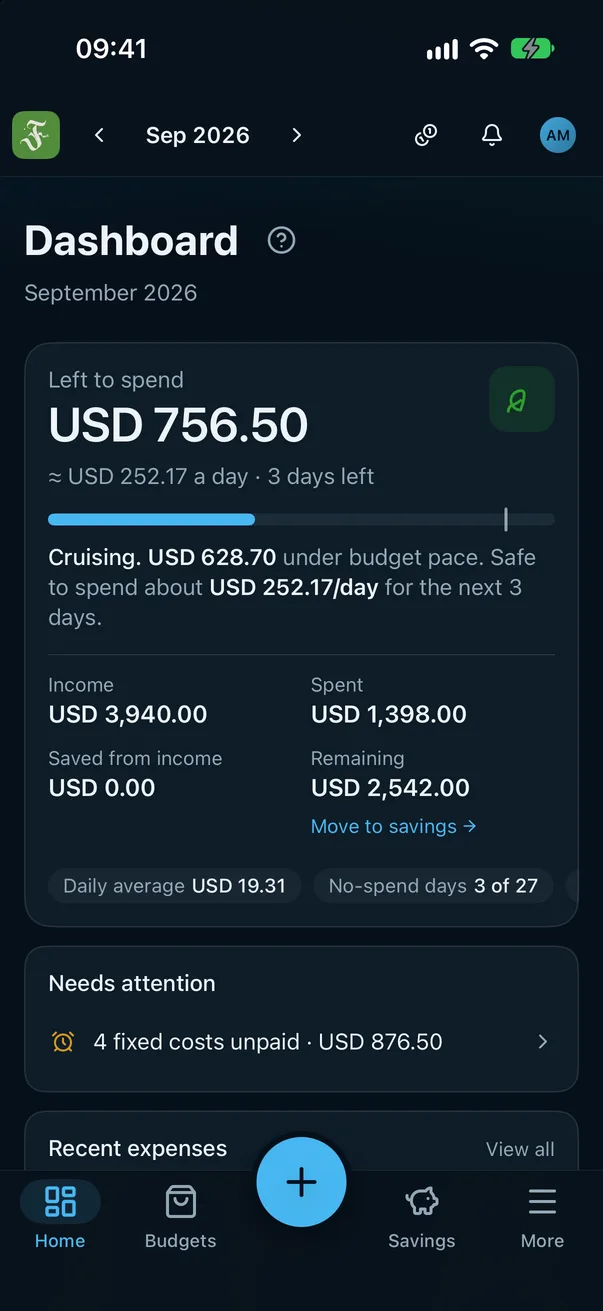
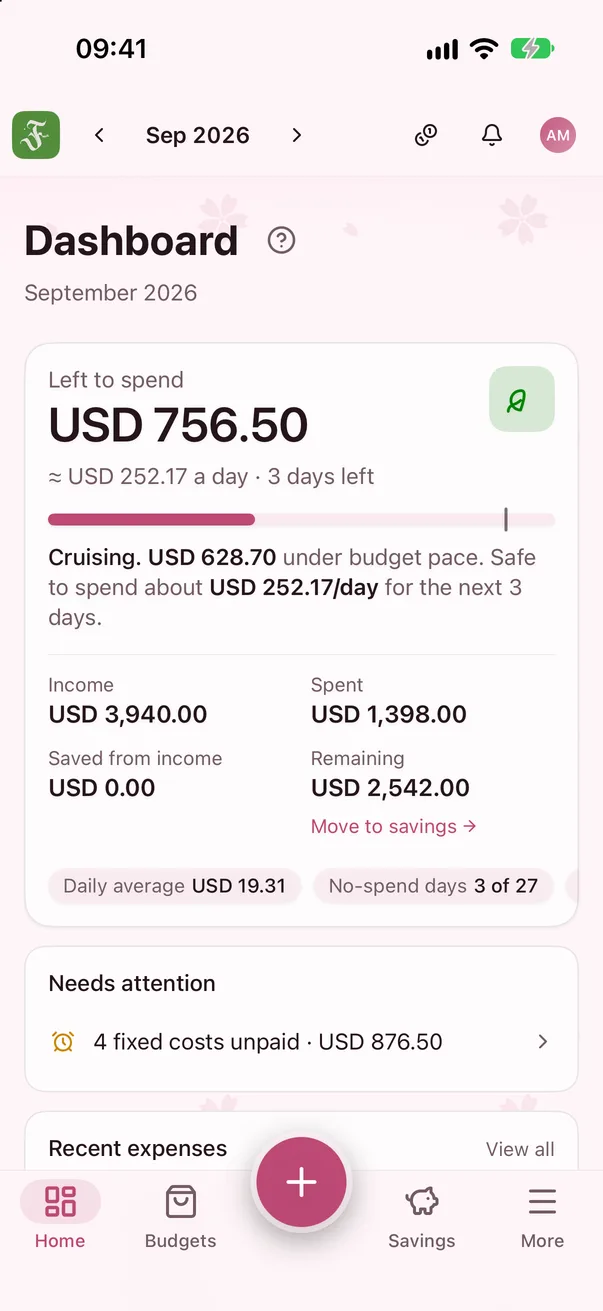
  • The overview shows what's left this month and per day. At month end, carry what's left to next month, save it or leave it; if you're short, take it from next month or cover it from an asset.

    • Per day
    • Month end
    • Logging streak
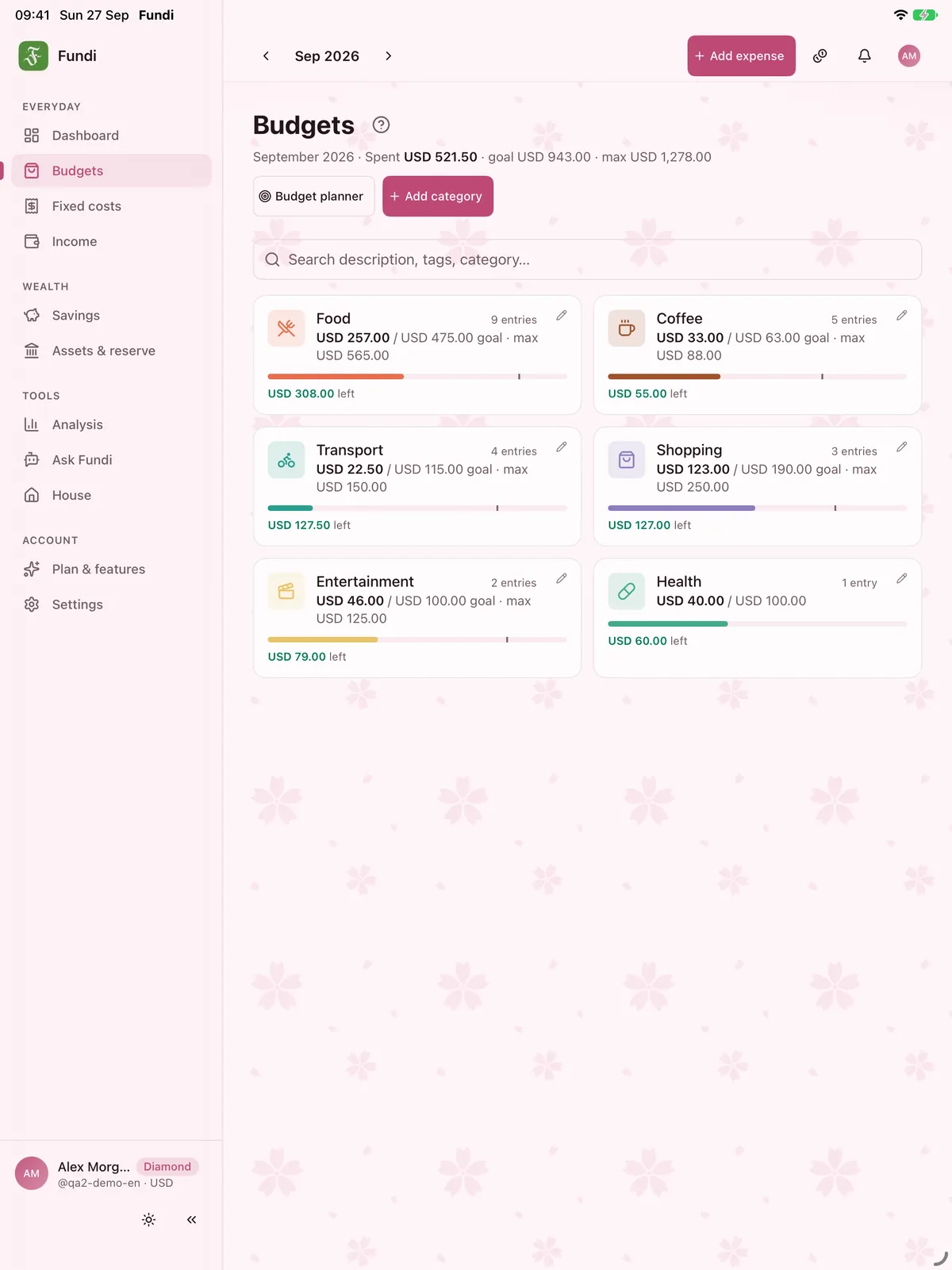
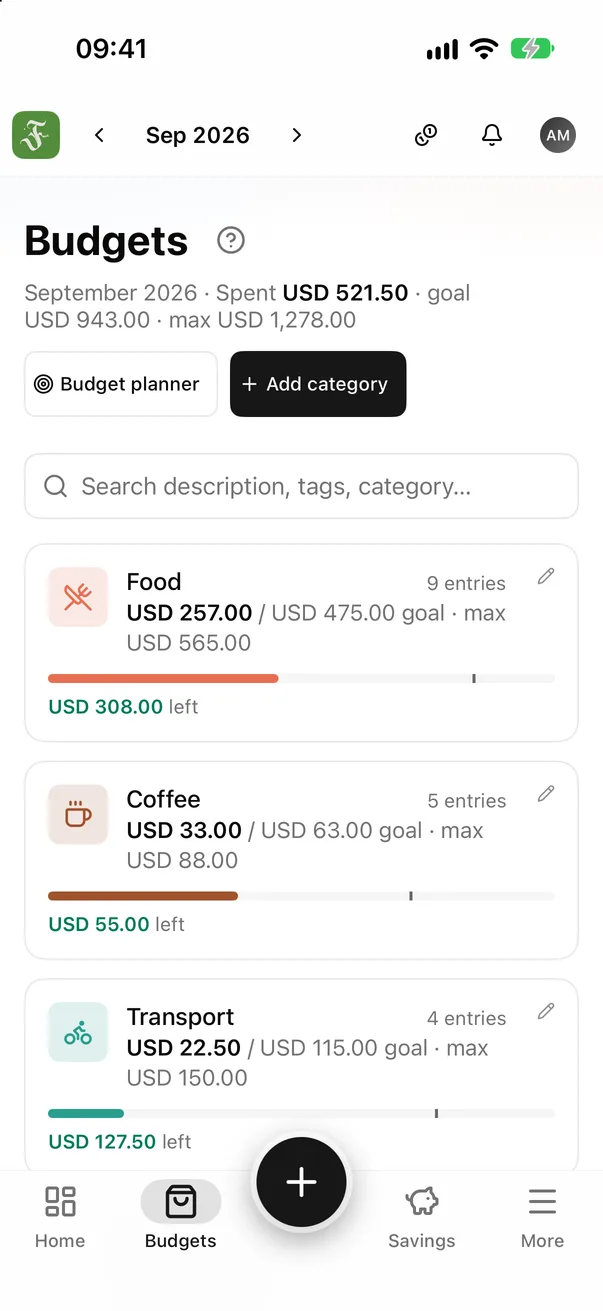
  • Each category gets a target and a maximum. Its bar shows how much is left before you hit the limit.

    • Target
    • Maximum
    • Left
  • Every month's spending on one big chart, with a dashed line at your average — you see at a glance whether this month runs high or low. Plus the categories that cost the most.

    • 6 months
    • Vs. average
    • Top categories
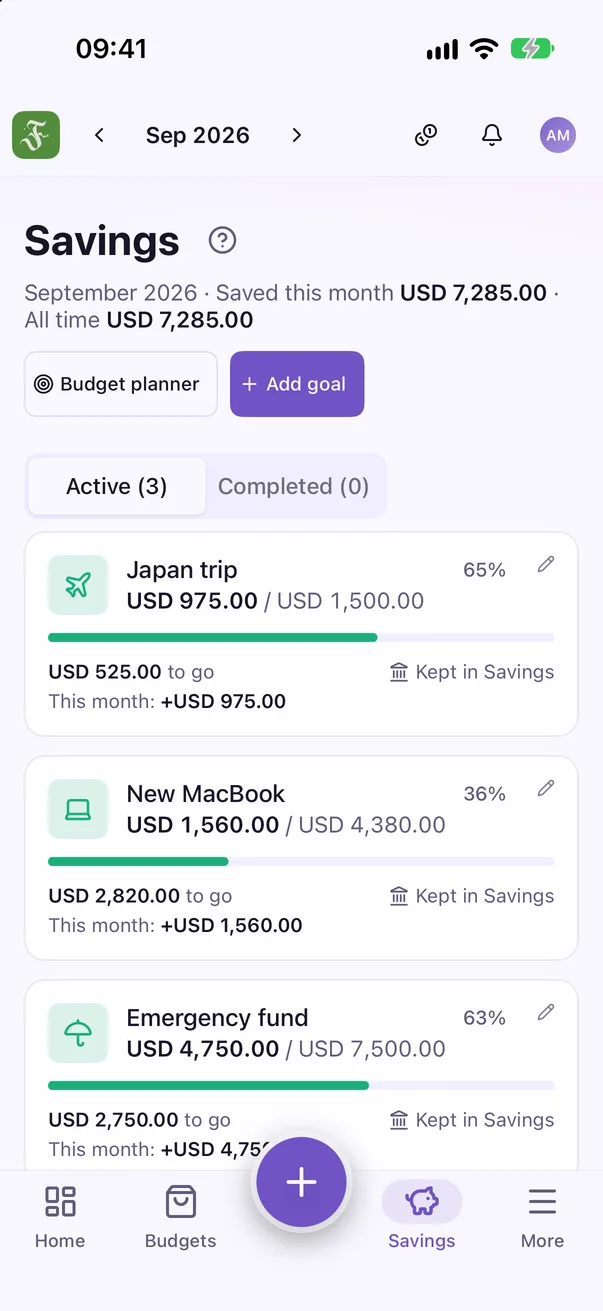
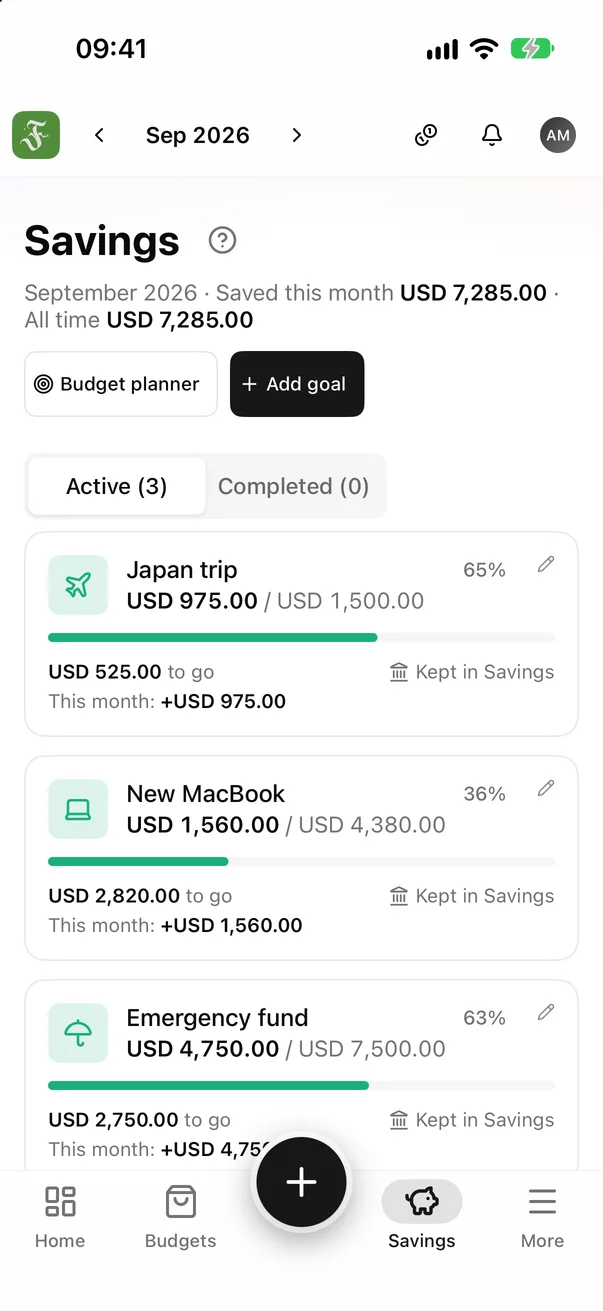
  • One Add money button: from this month's money or from an asset — the money stays where it came from. At 100% the goal shows ✓.

    • Add money
    • Progress
    • Still to save
  • Cash, bank, savings, investments: your net worth month by month, and how long you'd last without income.

    • Net worth
    • Runway
    • Emergency fund
  • Rent, internet and installments add up every month. Pay once for several months — like 6 months of insurance — and it's spread evenly.

    • Mark as paid
    • Every N months
    • Installments
  • Note what you mean to buy, its price and when; Fundi shows what you’d have left after it all. Bought it? Tap Bought and enter the real price.

    • Planned
    • What's left after
    • Bought
  • Trips, flatmates or family: log shared costs, split them any way, and Fundi works out who owes whom.

    • Equal or custom
    • Who owes whom
    • Settle up
  • Budget a trip in the local currency; Fundi converts it to yours and breaks it down by category.

    • 24 currencies
    • Trip budget
    • Per day left
  • A logging streak, levels, badges and small challenges — the habit sticks without feeling like a chore.

    • Streak
    • Levels
    • Challenges

Features

Everything about this month's money, in one place.

No chart soup. Every screen answers exactly one question you actually ask.

Quick add that makes you feel it

Type the amount and pick a category — or tap the mic and say it. Fundi shows what this expense leaves in it before you save.

Left to spend, per day

The safe amount for each remaining day of the month, updated after every expense. Money left at month end? Carry it to next month or save it.

Category budgets

Set a target and a maximum. The bar changes colour as you get close.

Savings with a goal

Each goal tells you how much to put aside monthly to make its date. One button adds money — it stays where it came from.

Assets & reserve Diamond

Your net worth month by month, and how long you'd last if income stopped today.

Groups Diamond

Trips, flatmates, family: split costs any way you like and Fundi works out who owes whom. In the iPhone app — anyone can join.

Budget planner Diamond

Turn a saving target into a suggested budget for each category.

Reports

Every month's spending on one chart, against a line at your average. With Diamond: your costliest weekday and where the money goes most, across months.

Fixed costs & installments

Rent, internet, a phone on installments — added every month, with reminders.

Any currency Diamond

Enter amounts in 24 currencies, converted at today's rate, original kept.

Upcoming

Note what you mean to buy and the price you expect, and see what's left after it all. Bought it? Tap Bought and enter the real price — planned and actual side by side.

Bank statement import Diamond

Pick a statement from your bank: CSV, XML or a PDF with text (not a scan). It's read on your device and never uploaded. Fundi guesses categories and flags lines that look logged already, fixed costs, your own transfers and cash — you choose which lines are saved, and can undo the whole import.

Made for iPhone & iPad

Not a website in an app wrapper.

Fundi is built natively for iPhone and iPad — smooth, fast, and able to do things only a real app can.

Fundi

Per day

USD 111.02

Add

Days in a row

163 days

November budgets21 days left
Food
27%
Transport
15%
Shopping
20%

Widgets Diamond

Left to spend, budgets and an Add button on your home and lock screen.

Siri & Shortcuts

“Add an expense in Fundi” — say it, it's logged, no app to open.

Face ID lock

Asks every time Fundi opens, and hides your figures in the app switcher.

Smart reminders

An evening nudge to log, and a heads-up when a fixed cost or an upcoming purchase is due.

Works offline

Log expenses on a plane — they're sent when you're back online.

Spotlight

Type a category's name on the home screen to open it directly.

On iPad, as roomy as on a computer.

A sidebar, multi-column grids, and Add expense always at the top.

On iPad, as roomy as on a computer.

Make saving a game

Hold on to your money. Have fun doing it.

Logging streaks, badges, challenges, no-spend days — small wins that keep your money with you for longer.

Level 7 · Steady hand

240 / 350 XP

Just unlocked

Iron week

This week's missions

  • Log spending on 5 days+15 XP
  • Have one no-spend day+15 XP
  • Put some money aside+15 XP

Badges, levels, weekly missions

70 badges to unlock, three fresh missions every week, and XP that levels you up — from Beginner to Legend.

7 days without eating out

Day 5 of 7

No-spend streak4 days

DiamondMake your own challenges

Challenges & no-spend streaks

“7 days without eating out”, “A no-spend weekend” — targets drawn from your own spending. Every day your wallet rests, the calendar turns green.

Fundi

Your September

12

no-spend days

Top categoryFood

Amounts hidden$•,•••

Month & year in review Diamond

Your month as a short story — share it freely, the amounts stay hidden.

84 days to go
Japan tripUSD 975 / USD 1,500

Goals with a photo

Pick a picture of what you're saving for. The more you put aside, the sharper it gets — with a countdown to the day.

A coffee every day

≈ $1,640a year

Halve it → Japan trip 2 months sooner

The true cost of habits

One small coffee a day adds up to a not-so-small number a year. Fundi tells you as you log it.

TokyoJPY

¥42,000 / ¥80,000

≈ $285

Trips Diamond

Each trip gets its own currency and budget: spend in the local money, see it in yours.

32 themes

Your money, your colours.

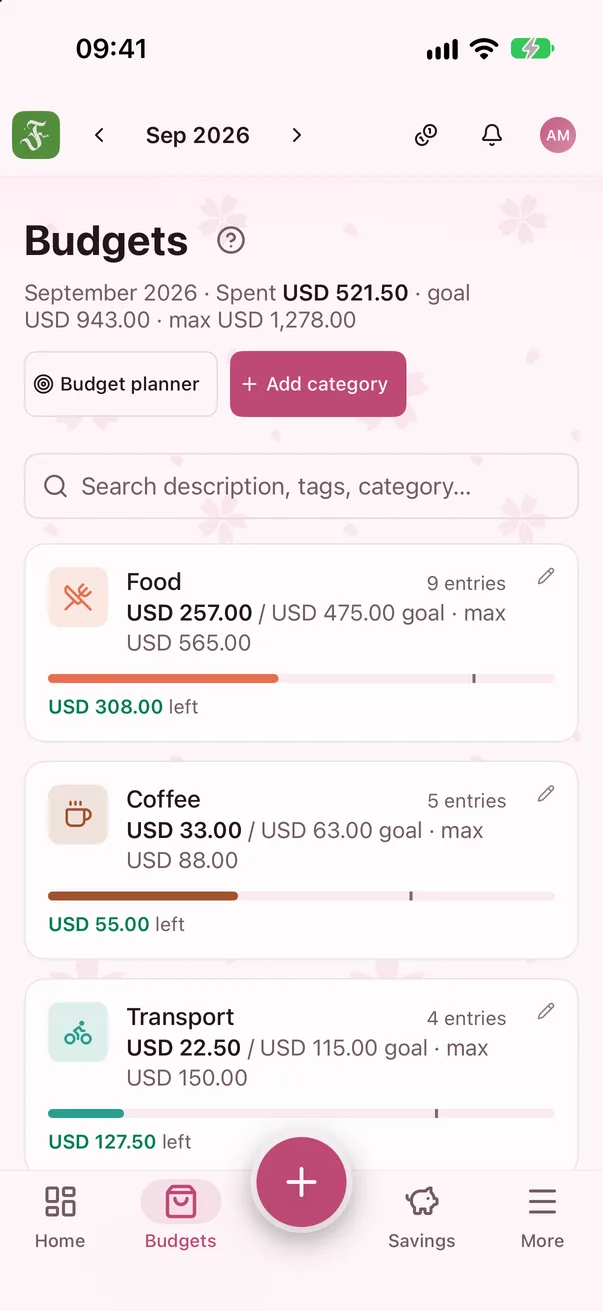
Light, dark, pastel, retro, and nine patterned themes — from cherry blossom to apricot blossom.

Savings screen in the Lavender theme
Overview screen in the Dark theme
Overview screen in the Sakura theme
Budgets screen in the Light theme
Budgets screen in the Sakura theme

Plans

Start free. Upgrade when you need it.

Basic is enough to run your month. Diamond opens every tool for going further.

Basic

Free

forever · no card needed

  • Income, expenses, fixed costs
  • Left to spend per day
  • 4 budget categories · 1 goal · 3 upcoming purchases
  • Badges, challenges, weekly missions
  • Goal photos & countdowns
  • Siri, Face ID, works offline
  • iPhone and iPad, one account
  • Download all your data anytime
Coming soon · Notify me

Diamond

Everything

Everything in Basic, plus

  • Unlimited categories & goals
  • Home & lock screen widgets
  • Favourites & suggestions
  • Assets & reserve
  • Create groups · split any way
  • Advanced reports · spending pace
  • Budget planner · any currency
  • Spreadsheet export · the whole theme store
  • Bank statement import
  • Month & year in review
  • Trips
  • Your own challenges

Monthly

Cancel anytime

Yearly

Best value

Lifetime

Pay once

Monthly and Yearly start with a 7-day free trial.

Yearly and Lifetime work with Family Sharing.

Coming soon · Notify me

Upgrade from the Plans page inside Fundi · Prices show in your currency on the App Store.

Your money is your business.

No ads, no tracking, no data sold.

Encrypted in transit; passwords are never stored readable.

Download all your data, or delete your account, in a few taps.

English, Tiếng Việt, Deutsch, Français, Italiano, 中文(简体), Español, Português (Brasil), 日本語, 한국어, 中文(繁體), Bahasa Indonesia, ไทย, Türkçe, Polski, Nederlands, हिन्दी, Русский, Bahasa Melayu, Українська.

FAQ

Yes. Basic is free forever, no card needed: log income, expenses and fixed costs, see what's left to spend each day, 4 budget categories and 1 savings goal. Diamond unlocks every tool, with a 7-day free trial.

Next month, you'll know where it went.

Fundi is coming to the App Store. Leave your email and we'll tell you on launch day.

Notify me at launch

One email at launch. No spam, no tracking.

Coming soon to theApp Store